
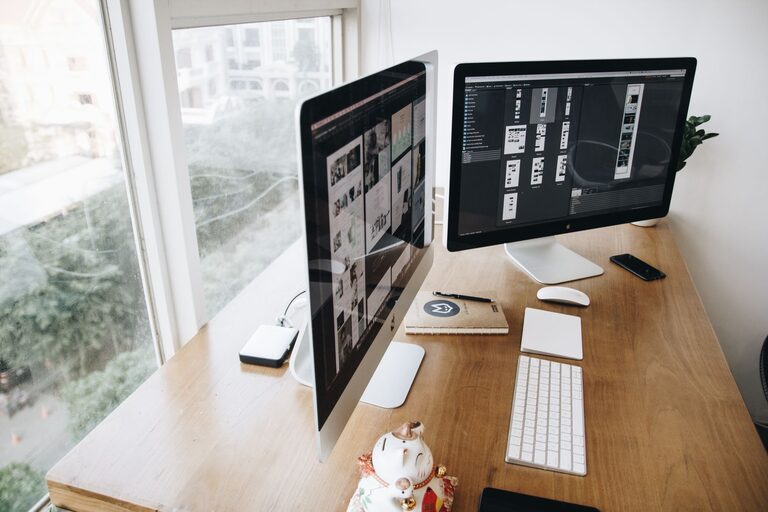
Creating a productive home office environment is essential in today’s world, where many of us work remotely or pursue personal projects from home. A well-organized, comfortable, and distraction-free space can significantly improve focus, efficiency, and overall work satisfaction. Whether you’re setting up a home office for the first time or looking to improve an existing one, these tips will help you create a space designed to support your best work.
Find the Right Location
Choose a Dedicated Space
If possible, select a specific room or corner of your home solely for work. This helps create mental boundaries between work and leisure, making it easier to focus during office hours and relax afterward.
Consider Natural Light
Position your desk near a window to take advantage of natural light, which can improve mood and reduce eye strain. Avoid glare on your computer screen by adjusting blinds or your desk placement.
Minimize Distractions
Set up your office in a quieter area away from household traffic or noise. Use noise-cancelling headphones or ambient sound apps if external noise is unavoidable.
Optimize Your Desk and Chair Setup
Invest in Ergonomic Furniture
Choose a comfortable, supportive chair that promotes good posture. Your desk height should allow your elbows to rest at about 90 degrees while typing, with feet flat on the floor or supported by a footrest.
Organize Your Desk Surface
Keep only essential items on your desk to reduce clutter. Use organizers, trays, or small drawers to store supplies like pens, notepads, and chargers neatly.
Position Your Monitor Correctly
Place your monitor at eye level about an arm’s length away to avoid neck strain and promote good posture. If you use a laptop, consider a stand and external keyboard to mimic this setup.
Establish Good Lighting
Use Layered Lighting
Combine natural light with adjustable overhead lights and task lighting. A desk lamp with adjustable brightness can help you work comfortably during early mornings or late evenings.
Avoid Harsh or Flickering Lights
Choose bulbs that provide a soft, consistent light to reduce eye fatigue. LED lights with adjustable color temperature are a good investment.
Manage Cables and Technology
Keep Cords Tidy
Use cable organizers, clips, or sleeves to bundle wires and prevent tangling. This reduces visual clutter and keeps your workspace safer.
Upgrade Essential Tech
Ensure a reliable internet connection and consider upgrading your computer, monitor, or peripherals to meet your work needs efficiently.
Use Multiple Screens (If Needed)
If your work involves multitasking or references multiple documents, adding a second monitor can boost your productivity and reduce screen switching.
Organize and Declutter Regularly
Implement Storage Solutions
Use shelves, filing cabinets, or storage bins to keep papers, books, and supplies neatly organized. Label containers for easy access.
Keep a Daily Clean-Up Routine
Spend a few minutes at the end of each day tidying your workspace to start fresh the next morning.
Set Boundaries and Routine
Establish Work Hours
Define clear start and stop times to maintain work-life balance. Communicate these boundaries with family members or roommates to minimize interruptions.
Take Scheduled Breaks
Use techniques like the Pomodoro method (25 minutes focused work, 5-minute break) to maintain energy and prevent burnout.
Personalize Your Space
Add plants, artwork, or meaningful items that brighten your office and make it more inviting without distracting from work.
Optimize Air Quality and Comfort
Ensure Good Ventilation
Fresh air can enhance concentration. Open windows when possible or use an air purifier.
Control Temperature
Set up a small fan or heater if your workspace temperature fluctuates. Comfortable temperature supports focus.
Use Productivity Tools
To-Do Lists and Planners
Maintain a daily or weekly task list to prioritize work and track progress.
Timer Apps and Focus Tools
Apps like focus boosters or website blockers can help minimize distractions during work sessions.
—
Creating a home office that supports productivity takes some planning and regular maintenance but results in a more enjoyable and efficient work experience. By focusing on comfort, organization, lighting, and boundaries, you can transform your space into a place where you can thrive professionally and personally.